

Try it for free
Create your dental practice’s telephone greeting using an AI voice in just a few seconds
Create your account for free
You will be able to download this message and discover all the features in your Voconix space
Create my Voconix account
You have exceeded the 20-word limit for this test. Create a Voconix account to send messages of up to 100 words each.
Discover all our offersWhat your telephone reception service covers
4 scenarios for dealing with telephone enquiries specific at the dentist's surgery
A patient who calls a dental practice may be in a great deal of pain or feeling very anxious. These four situations call for a clear and reassuring response over the phone.
The surgery is closed and the patient has a dental emergency
Acute toothache cannot wait until Monday morning. Your telephone helpline must immediately provide the local dental emergency number.
The secretary is busy whilst the treatment is taking place
During a tooth extraction or the fitting of a dental prosthesis, no one is allowed to answer the phone. Your receptionist should direct callers to Doctolib and reassure any anxious patients.
A patient wants to cancel or reschedule an appointment
Last-minute cancellations are the main source of lost revenue for a dental practice. Your reception team can direct patients to Doctolib to manage any slots that have become available.
The practice is closed for holidays or training
Holidays, continuing professional development, cover arrangements: your telephone message must clearly state the date of return and the locum dentist, if applicable.
Briefing, registration, delivery, installation. Several days’ wait and a charge for each change.
You can create the audio file in a matter of seconds. Your installer receives it straight away.
Set up your company’s telephone greeting dental practice
With Voconix, you can go from a blank page to a professional audio file in just a few clicks, without a studio or a technician.
Write your text
Free-form text or pre-written template for a dental practice. Emergencies, Doctolib, opening hours, locum.
Add some music
Over 10,000 tracks: commercial or SACEM royalty-free. Automatic mixing.
Please pass this on to the installer
An MP3 or WAV file sent automatically to your telephone installer.
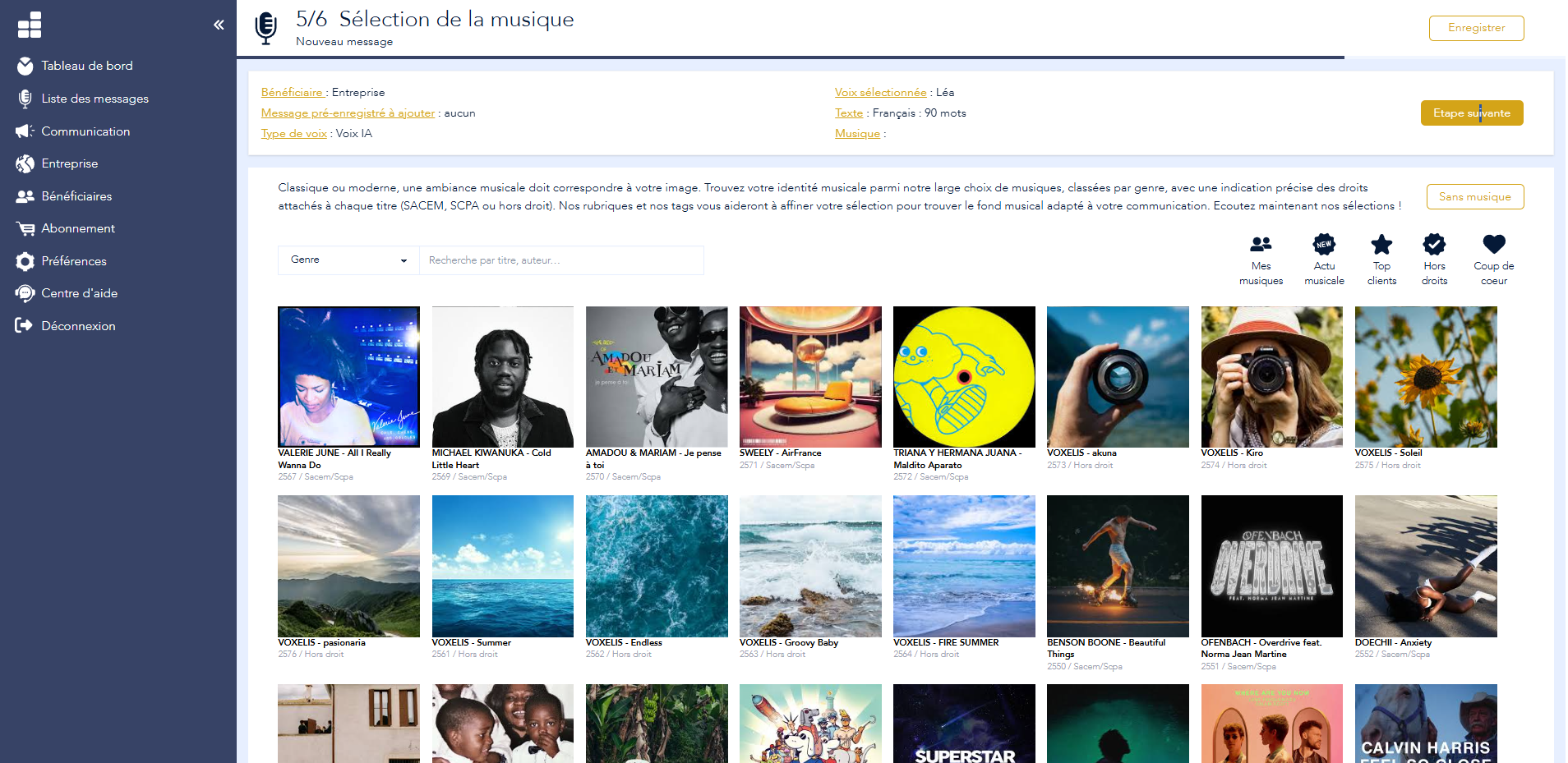
Step 5/6: Selecting music from a catalogue of 10,000 royalty-free tracks
Audio files ready to be submitted on your switchboard
The files generated by Voconix are compatible with all telephone systems used in dental practices, without the need for any conversion.
Audio formats
MP3, WAV, G.711a, G.711u, G.722, G.729. Compatible with all IP-PBXs and telephone switchboards. Standardised audio level for each file.
Direct delivery
Enter your installer’s contact details in Voconix so that he automatically receives the file, ready to be uploaded to your switchboard. Find out more
Saved pronunciations
The name of a dentist or a dental technique that is difficult to pronounce is memorised once in Voconix and reused in all your future messages.
How your patients feel when they ring your practice
Dental anxiety affects nearly one in two French people. When a patient calls your practice, they are rarely relaxed. They may be in acute pain, anxious about an upcoming treatment, or trying to cancel an appointment they are dreading. The first few seconds of your telephone greeting immediately determine the level of trust they place in your practice.
A well-crafted telephone greeting puts people at ease even before the call is answered. It shows that the practice is well-organised, that emergencies are catered for and that the patient is expected. With Voconix, you can create this audio file in a matter of seconds and send it straight to your telephone installer.
The specific features of telephone reception in a dental practice
Managing dental emergencies
Unlike a GP’s surgery, a dental practice is under no legal obligation to provide a national emergency number. However, acute toothache is a genuine emergency for the patient experiencing it. Your out-of-hours telephone service should provide a local dental emergency number or the details of an on-call service, as well as the number 15 for serious cases.
Referral to Doctolib
The vast majority of dental practices use Doctolib for booking appointments. Your telephone reception staff should always direct patients to your Doctolib portal for standard enquiries, thereby enabling patients to book appointments at any time without tying up your reception staff.
Handling cancellations
A 45-minute appointment that is not attended represents a significant loss of revenue. Your reception team can direct patients who wish to cancel to Doctolib, so that the slot can be freed up and reallocated to another patient on the waiting list.
Six telephone greeting scripts for dental practices
Create the audio file for your dental practice’s telephone greeting in just a few seconds.
Your first message is completely free – no credit card required.
Practical advice
Best practice in customer reception telephone service at a dental practice
Six practical tips for a dental reception service that puts your patients at ease and optimises your organisation.
Please provide a dental emergency number for out-of-hours use
Acute toothache cannot wait. Your telephone helpline must provide details of a local out-of-hours dental service or an on-call number. Check that this information is up to date whenever there is a change in the on-call rota.
Please keep your message to 25 seconds
A patient in pain cannot bear a long message. State the name of the practice, explain that you are unable to reply, direct them to Doctolib and finish with the emergency number. Not a word more.
Use a reassuring tone
Dental anxiety is a real thing. The voice on your telephone answering service should convey calm and kindness. A voice that sounds too cold only increases anxiety. Voconix offers AI and human voices in five languages.
Please direct any cancellations to Doctolib
Every cancellation handled over the phone takes up your reception staff’s time. Stating in your telephone greeting that cancellations must be made via Doctolib frees up time and ensures that the slot is automatically reallocated.
Update your message for each substitute
Holidays, training, absence: the name and number of your cover must be included in your message from the very first day of closure. With Voconix, this update takes a few seconds.
Check the pronunciation of the practitioner’s name
AI voices sometimes mispronounce proper nouns. Voconix Memorise the exact pronunciation of your dentist’s name once and for all, and use it in all your future messages.
Telephone reception by sector
Every sector has its own constraints. Select your sector.
Enhance the voice communication on your dental practice
Dental pre-extraction
The first sound your patients hear before being put through. Set a reassuring tone from the very first ring to ease dental anxiety.
Urgent update
Last-minute cover, an unscheduled closure, a change to the out-of-hours dental number: update your telephone answering service straight away.
Manage all your dental messages
Standard reception, emergencies, leave, cover staff: all your practice’s telephone communications centralised in Voconix.
Business Answering Machine
Even when closed, you can communicate (opening hours, contact points, etc.) without having to leave a message.
New practitioner at the practice
Create the welcome message for the new dentist straight away, using the same tone and style as the rest of the practice.
Find your old messages
Change of locum, new practitioner, revised opening hours: find and reuse all your previous messages from the Voconix history.
IVR system for dental practices
Direct your patients to the right practitioner or department from the very first call: general dentistry, orthodontics, implantology, emergencies.
Dental voicemail
Whether you are receiving treatment, on a training course or on leave: clearly state your call-back time and the emergency dental number for patients in pain.
100%: a standalone solution for your practice
Choose the voice, music and text, then create your dental practice’s phone greeting straight away, without needing a recording studio.
The pricing
Free
€84 /year
(10,000 titles)
€180 /year
Create my Voconix account
Choisissez un mode de connexion sécurisé parmi Google Workspace, Microsoft 365 Cloud ou une adresse email avec mot de passe.
FAQ: Dental practice
Take a look at our FAQs and find the answers to your questions
Why is the telephone reception service at a dental practice so special?
Dental anxiety affects nearly one in two French people. A patient who calls may be in pain or feeling very anxious. Your telephone reception should reassure the caller even before answering, direct them to Doctolib for appointments and provide a dental emergency number for out-of-hours situations.
Should a dental emergency number be included in the telephone greeting?
There is no legal obligation, as there is for doctors’ surgeries, but it is strongly recommended. Acute toothache is an emergency for the patient. Your out-of-hours telephone service should provide details of a local out-of-hours dental service or an on-call number.
Is it acceptable to mention Doctolib when answering the phone at a dental practice?
Yes, and it’s essential. Directing patients to your Doctolib portal reduces the volume of calls for booking appointments and allows patients to cancel or reschedule their appointments themselves, thereby minimising no-shows.
How long should a dental practice’s welcome message be?
25 seconds maximum. A patient suffering from dental pain cannot bear to listen to a long message. The ideal order: practice name, practitioner’s unavailability, Doctolib for appointments, dental emergency number, call-back time.
How should appointment cancellations be handled by the telephone reception service?
Please direct patients to Doctolib for cancellations so that slots are automatically released. A slot released online can be reallocated to a patient on the waiting list without involving your reception team.
How should a dental practice’s telephone reception service announce a stand-in?
Please specify the closure dates, the name of the locum dentist and their direct line number. With Voconix, this message is generated in a matter of seconds and is updated just as quickly whenever there is a change.
What sort of voice should be used for a dental practice’s telephone reception?
What sort of hold music should a dental practice use?
Light classical, ambient piano or gentle, uplifting music. Avoid music that is too austere or too clinical, as this can heighten anxiety. The Voconix catalogue includes playlists tailored to healthcare professionals, all of which are SACEM royalty-free.
How do you set up a telephone answering service for a dental practice using Voconix?
Write your text on voconix.fr, select a voice and background music from the available options, then generate the file with a single click. The MP3 or WAV file is automatically sent to your telephone provider. The first message is free.
How much does it cost to set up a telephone reception service for a dental practice?
The first welcome message on the phone is completely free on voconix.fr, without a credit card. Packages tailored to dental practices are available from €5 (excl. VAT) per month. See prices.
