Telephone switchboard: which messages to set up and how to create them
A telephone switchboard manages the reception and routing of your incoming calls. It decides, in a fraction of a second, where to route a call: to a specific extension, to a group of staff, to a queue, or to an automated message if no one is available. On paper, it’s a purely technical component. In reality, it’s the very first point of contact between your company and the caller.
The problem is that most telephone switchboards are installed with a focus solely on the technical aspects: how many lines, what equipment, what the monthly cost is. The voice messages that accompany this call routing, however, are often dealt with as an afterthought, sometimes improvised at the time of installation by a technician with no particular expertise in communication. The result is a system that is technically sound but gives an amateurish impression from the very first seconds of a call.
Whatever system you are currently using, or are planning to install, it remains silent without the voice messages configured within it: welcome messages, on-hold messages, call routing messages and voicemail messages. It is precisely this that transforms a simple call-routing tool into a genuine customer experience – one that is consistent and professional from the very start to the very end of the call.
This guide covers the basics you need to understand your telephone switchboard, details the essential messages you need to set up, outlines their technical compatibility requirements, and explains how to create them yourself in just a few minutes using Voconix, without having to rely on a recording studio or wait for your installer.
What is a telephone switchboard?
A telephone switchboard is a system that receives a company’s incoming calls and routes them to the appropriate contacts or departments, without the need for human intervention on every call. Before the advent of digital technology, this function was carried out by a person – the switchboard operator – who manually transferred each call. Today, this task is fully automated, enabling both small businesses with just a few staff and large corporations to handle a high volume of calls without the need for dedicated staff.
The three main families of standards
Le PABX is the traditional technology. It relies on standard analogue telephone lines and requires a physical unit to be installed on the company’s premises. It is a robust and tried-and-tested technology, but it is limited in terms of modern features and is gradually being replaced by newer solutions.
L’IPBX It operates via the internet, using VoIP (Voice over IP) technology. It can be installed on-premises or hosted remotely, and offers far greater flexibility than a PABX: simplified line addition, integration with tools such as CRM systems, and remote management. It is now the most common solution for businesses upgrading their telephone infrastructure.
Le virtual switchboard, sometimes known as Centrex or Cloud PBX, goes one step further: it is hosted entirely in the cloud, with no hardware to install on-site. Calls are managed remotely, allowing staff to answer them from anywhere with just an internet connection. It is the simplest solution to set up for a small organisation or a team spread across multiple sites.
What Voconix does, and what it doesn’t do
An important point to note before we go any further: Voconix is not a telephone switchboard provider. Voconix does not replace your PABX, IPBX or virtual switchboard, and does not manage either the routing of your calls or the technical infrastructure that carries them. This remains the responsibility of your telecoms operator or installer.
What it does Voconix, is to create the audio files which you can then play back on the switchboard you already use: welcome messages, on-hold messages, voicemail messages and voice menu messages. Regardless of the brand of your switchboard or the technology it’s based on, you’ll always need these files, and this is precisely where Voconix comes in, enabling you to manage this aspect yourself without having to rely on a recording studio or put up with waiting times.
Key messages to set up on your telephone switchboard
Whatever system you have in place, five types of message shape your callers’ experience, from the very first moment of the call right through to its resolution. Each one occurs at a specific point in the journey, and each deserves special attention: a technically flawless switchboard system that uses improvised or poorly thought-out messages will always give your callers the impression of neglect.
Here are these five messages, their exact purpose, and a link to the guide for each one, where you can find more details.
The pre-lift-off
The first message heard before the call is put through. It confirms to the caller that they have reached the right company, and sets the tone for the entire conversation to follow.
02IVR
The interactive voice response system directs callers to the correct department via a keypad menu, thereby avoiding the need to involve a member of staff for every transfer.
03The waiting message
Keeps the caller waiting before the call is connected, usually accompanied by music. This is the most critical moment for preventing a caller from hanging up out of impatience.
04The answering machine
Played when the line is busy or outside office hours, it invites the caller to leave a message or call back, providing them with all the relevant practical information.
05Voicemail
An employee’s personal voicemail service, for direct calls that are not answered. This is often overlooked, even though it represents a genuine personal point of contact.
5 ready-to-use scripts for your telephone switchboard
Rather than starting from scratch, here is a template for each of the five messages outlined above. They are deliberately simple and neutral: it’s up to you to adapt them to your company’s name, your sector and the tone you wish to convey through your brand image.
Once you have finalised your text, create the corresponding audio file in just a few minutes using Voconix, by choosing the voice and music that best suit your business.
Pre-answer message
«Hello and thank you for calling [Company]. Your call will be answered in a few moments.»
IVR
«Welcome to [Company]. For sales, press 1. For technical support, press 2. To speak to an advisor, press 0.»
On-hold message
«Thank you for calling. All our advisers are currently available. Your call is important to us; we’ll be with you in a moment.»
Answering machine
«Hello, you’ve reached [Company]. Our offices are open Monday to Friday from 9 am to 6 pm. Please leave a message and we’ll get back to you as soon as possible.»
Personal voicemail
«Hello, this is [First name Surname]»s voicemail. I’m currently unavailable. Please leave your name and the reason for your call, and I’ll call you back as soon as possible.”
Technical compatibility: not all standards support the same formats
A technical detail that often surprises those encountering this subject for the first time is that an audio file which plays perfectly on a computer or smartphone may well be rejected – or, worse still, distorted – once imported into a telephone switchboard. Each type of system (PABX, IPBX, virtual switchboard) imposes its own constraints regarding sampling rate, audio encoding and file format, which are rooted in the technical history of telephony.
In practical terms, if you send your installer a WAV file recorded in CD quality (44,100 Hz, the standard for music) whilst your IPBX expects 8,000 Hz, there are two possible outcomes: either the file will simply be rejected during import, or it will be accepted but played back with a distorted voice, sometimes barely recognisable. In both cases, this means a back-and-forth with your installer to correct the format, which delays the publication of your message by several days.
PABX / standard lines
Mono WAV, 8,000 Hz, µ-law or A-law encoding. The most demanding format in terms of technology, derived from analogue telephone standards.
IPBX / VoIP
Mono WAV, 8,000 or 16,000 Hz, 16-bit PCM encoding. More flexible than a PABX, but there are still specific restrictions depending on the make and model.
Virtual switchboard / cloud-based switchboard
Generally more flexible formats, such as MP3 or WAV, depending on the platform. The most resilient technology, thanks to its fully digital architecture.
Voconix has been designed to avoid this problem entirely: each file is automatically generated in the format suitable for the specified system, without the need for any technical adjustments or specialist knowledge on your part. You never have to worry about sample rates or encoding.
Update your messages without relying on your telecoms provider
In most companies, changing a message on the telephone switchboard follows the same process: you write a new message, contact your telecoms provider, wait for them to be available, and then wait again for the new file to be uploaded to the system. Depending on the service provider’s workload, this can take anywhere from a few hours to several days.
This delay becomes particularly problematic in situations that require an immediate response: an unexpected closure to be announced that very morning, a last-minute change to opening hours, or simply the correction of an error spotted in an existing message. Whilst they are waiting, your callers continue to hear out-of-date or incorrect information, which directly damages your reputation and may result in additional calls to clear up the confusion.
With Voconix, this dependency is eliminated. You can create and edit your messages yourself, directly online, in just a few minutes. The audio file generated is then automatically sent to your installer via the automatic delivery, which notifies you as soon as a new message is ready to be integrated. You retain control over the content, whilst still allowing your installer to carry out their technical role in integrating it into the system.
Set up your switchboard messages in 2 minutes
Whether you are setting up a new telephone switchboard or simply wish to update the messages on an existing system, the process with Voconix remains the same, and requires neither technical expertise nor recording equipment.
Write your text
Customised text or pre-written templates for each type of message, tailored to your sector and your communication style.
Choose your voice
25 AI and human voices in 5 languages, which you can test directly on your own text before finalising your choice.
Add some music
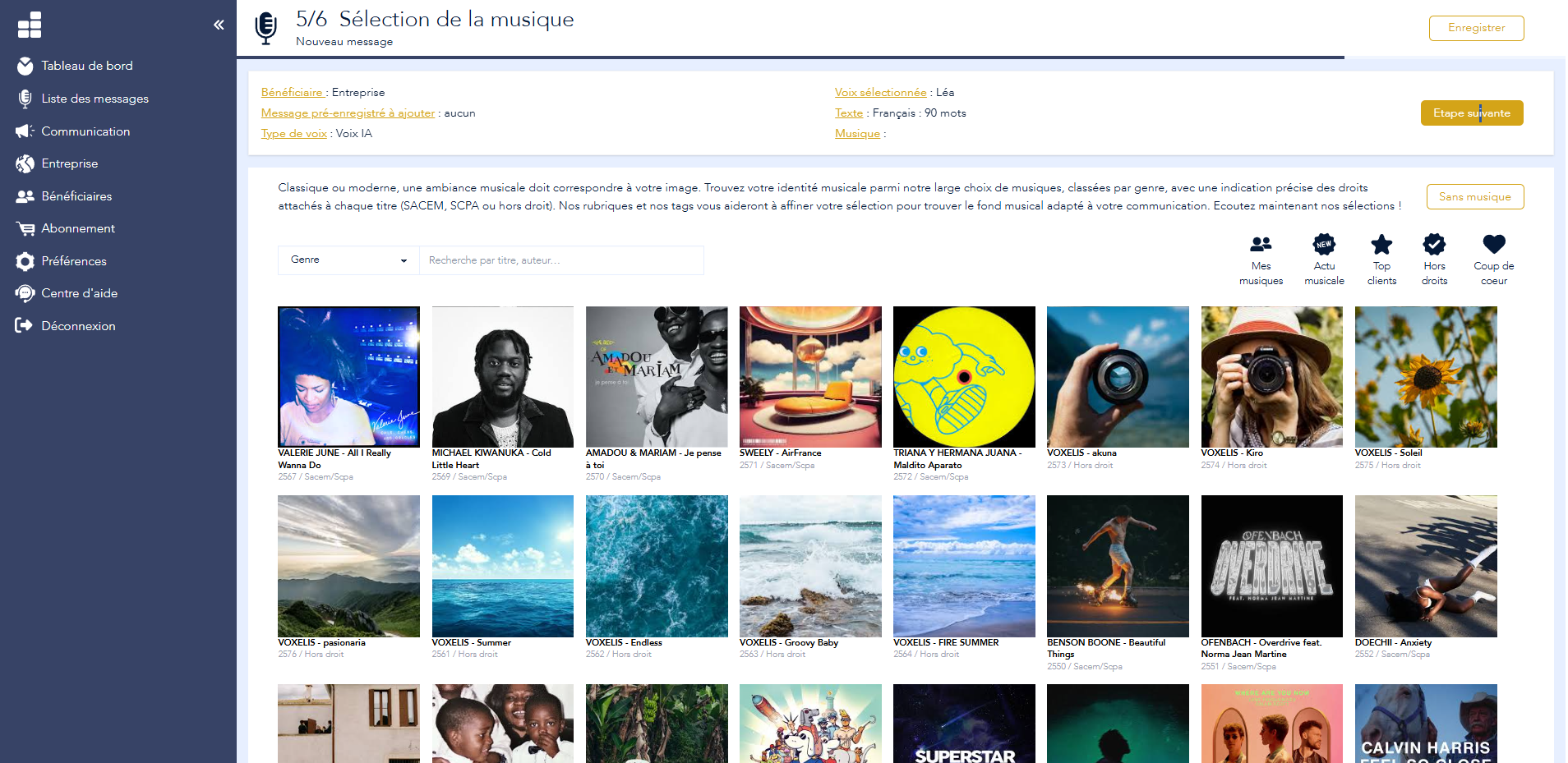
More than 10,000 music optimised for mobile phones, which are already compatible with the requirements of your switchboard.
Download or deliver
A file compatible with your system, ready to be integrated or automatically sent to your installer.
Voconix
Give your telephone switchboard a voice
Whatever system you use, you can create all your voice messages in just a few minutes, without needing a studio or a technician. Your first message is free.
FAQ: Telephone Switchboard
Is Voconix a telephone switchboard?
No. Voconix does not provide a call routing system (PABX, IPBX or virtual) and does not manage the infrastructure that routes your calls. Voconix creates the audio files, which you then play through the telephone switchboard you already use, whatever type it may be.
What is the difference between a PABX, an IPBX and a virtual switchboard?
A PABX uses standard analogue telephone lines and requires a physical unit on-site. An IPBX operates via the internet using VoIP technology, offering greater flexibility. The virtual switchboard is hosted entirely in the cloud, with no hardware to install, making it the simplest solution to deploy for a small organisation.
What are the key messages of a telephone switchboard?
There are five main types that shape the caller’s experience: the pre-hook, which confirms that he has contacted the right company; the IVR, which directs him to the right department; the message pending, who keeps him company whilst he waits; the answering machine, broadcast in the event of absence; and the voicemail of each employee.
Do all standards support the same audio files?
No, the requirements vary significantly depending on the technology: a conventional PABX generally requires mono WAV at 8,000 Hz with a specific encoding, an IPBX accepts WAV at 8,000 or 16,000 Hz in PCM, and a virtual switchboard is often more flexible regarding the formats it accepts. An incorrectly formatted file may be rejected or played back with distorted sound.
How can I update a message without having to contact my installer every time?
By centralising the creation of your messages with Voconix, which automatically forwards every new file to your installer via automatic delivery. You retain control over the content and the update schedule, without having to wait for them to find a slot in their diary.
Can I use Voconix with my current telephone system, whatever type it is?
Yes, that is precisely one of the principles behind the tool: Voconix automatically generates the audio format suited to your system – whether it’s a PABX, an IPBX or a virtual switchboard – without you having to understand or manage the technical constraints relating to frequency or encoding yourself.
How do I create messages for my telephone switchboard using Voconix?
Write your own text or use a pre-written template, choose a voice from the 25 options available in 5 languages, add music if you wish, then download the file, ready to integrate into your system. The whole process takes less than 2 minutes on https://voconix.fr/.
How much does it cost to create messages for a telephone switchboard?
The first message is completely free, with no credit card required. Subsequent packages are then tailored to the volume of messages you need to create and update, depending on the size of your switchboard. See the full pricing details at https://voconix.fr/#tarif.
